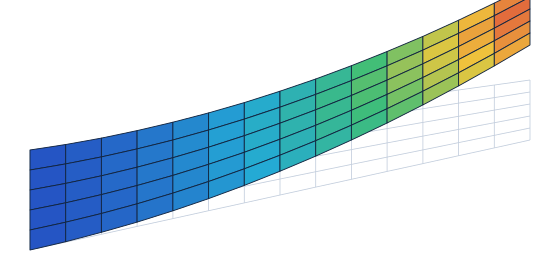
Conceptual design asks many questions quickly: is this spar layout stiff enough, where does the wing buckle, what happens to the lift when it bends? AirFrame is built to answer them on simple models, in minutes, and to hand the model on to Nastran or Abaqus when the design is ready for detailed work.
Model
- Mesh built from operations that stay editable: extrude, loft, sweep, copy, mirror, merge
- Parameters and curves (airfoil import) that rebuild the mesh when changed
- Beams with any thin or solid cross section drawn as a polyline, shells and solids
- Materials, properties, constraints, forces, pressures, multi point constraints
Analyse
- Structures: linear static, natural frequencies, linear buckling, transient response
- Aerodynamics: three-dimensional panel method, steady and transient, with wake
- Aeroelasticity: static coupling and transient response of structure and flow
Understand and hand on
- Results on the model: deformation, fields, animation of modes and time histories
- Charts, tables and report pages kept in the project
- Import and export of Nastran and Abaqus models
- Solvers and mesh builder also usable from Python
How to start
- Register and confirm your e-mail address. The trial license starts then and covers every analysis.
- Download the package, unpack it anywhere and start AirFrame. There is no installer.
- Log in from the Account menu of AirFrame. Opening and saving projects and viewing results never need a license; running an analysis does.
Where it stands
AirFrame is in pre-alpha: it is used daily by its author and is now opened to testers. Expect rough edges, and please report what you find. The program runs on Windows; the solvers also run on Linux.